English
A private family tree for every family
Every generation of your family, together on one tree.
Your own private family website. Relatives add their branch, elders’ memories are kept, and everyone gets their own simple login.
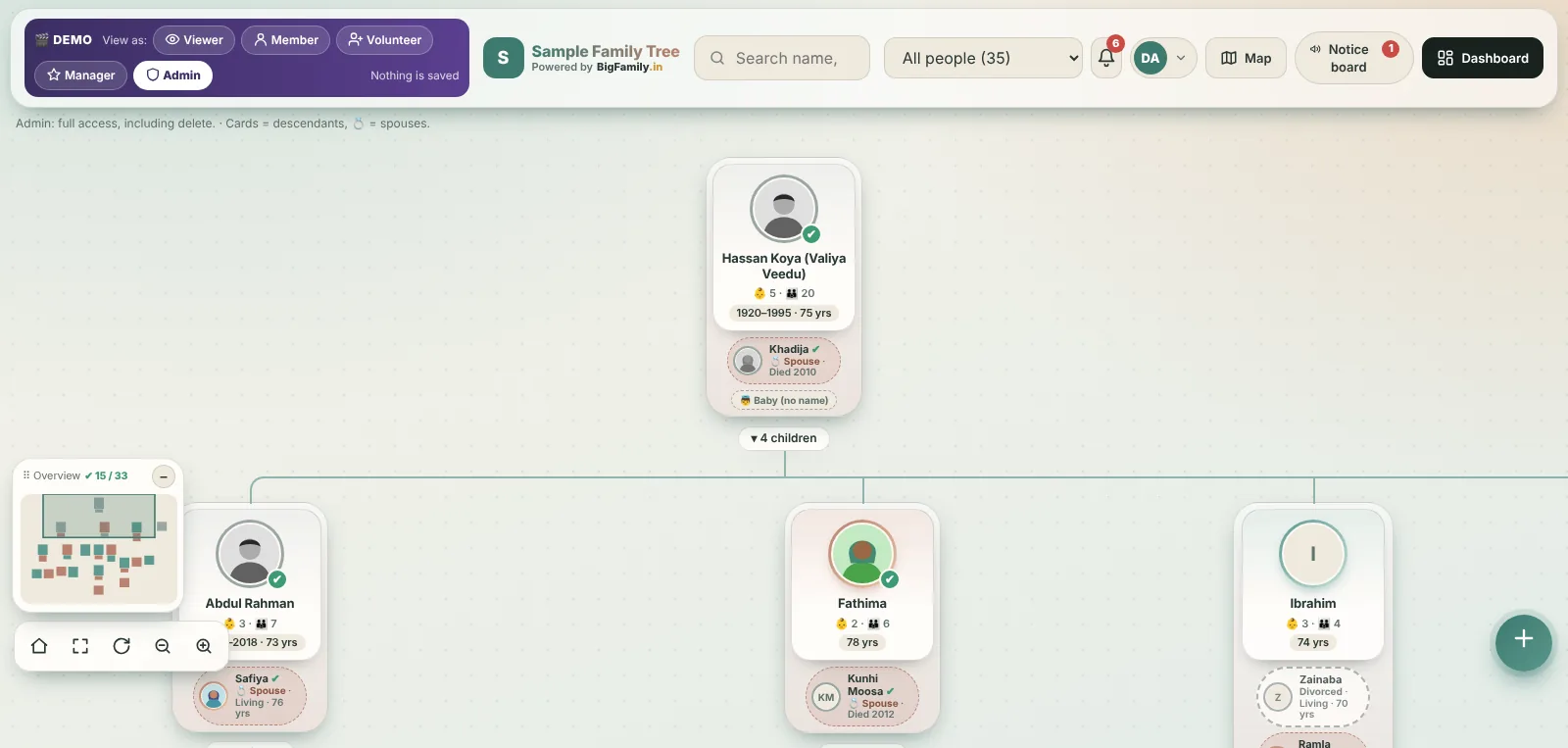
One tree, every generation
-
MHKUGreat-grandparents Moideen Haji and Kunhamina
-
AKSAUSGrandparents Abdul Kader, Sainaba, Usman
-
HAFASHParents Hamza, Fathima, Shameer
-
HIZARI+9Children Hiba, Zayan, Rifa and more
Why families start a tree
Know where you come from. Know who you belong to.
Everything included
Simple for grandparents. Careful with your privacy.
For the people who look after the tree
A tree for the family. A dashboard for the admin and managers.
When the family grows to hundreds of people, the admin and managers get one place to keep everything in order.
- Everything waiting, in one placeApprovals, removal requests and join requests, each with one-tap buttons.
- Every person as a listSearch, filter by generation or branch, find who has no photo or birth year, and download Excel.
- Accounts made simpleManagers, volunteers and members, who never signed in, and one-tap login messages on WhatsApp.
- Announcements for every phonePost a notice, pin it, and send it to everyone, to the helpers, or to one branch. It can also go out on WhatsApp in one tap.
- Visitors and settingsLive visitor stats, the family PIN, map access and backups.
Live demo
Try the real app with a sample family.
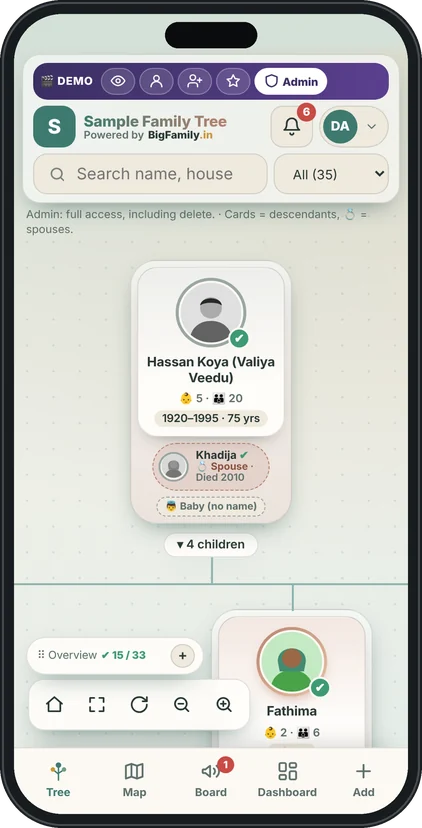
It opens full screen, on your phone or computer. Scroll the tree, tap a person, open the notice board, and switch between the five kinds of access. Nothing you change is saved.
 Open the live demo
Opens in a new tab. Close it to come back here.
Data entry service
Have the names on paper? We’ll build the tree for you.
Many families have their history in an old notebook, an Excel sheet or a chart drawn by an elder. Send it to us and our team types every person in, links parents, spouses and children, and hands you a ready tree.
- 1Send your listShare photos, files or voice notes on WhatsApp or email.
- 2We type and connectEvery person is added and linked to parents, spouses and children.
- 3You check itYour family admin or managers review the tree and tell us any corrections.
- 4Your tree goes liveShare the link, and relatives start adding photos and details.
Plans
One payment, two full years.
From the third year, a small yearly renewal keeps your tree online.
Small family
Up to 300 people
Setup + 2 years
one payment, covers the first 2 years
- Family tree for up to 300 people
- Admin, manager, volunteer, member and viewer roles
- Easy logins, no codes to wait for
- Your own address and database
Medium family
Up to 1,000 people
Setup + 2 years
one payment, covers the first 2 years
- Family tree for up to 1,000 people
- Admin, manager, volunteer, member and viewer roles
- Easy logins, no codes to wait for
- Your own address and database
- Plus options
- Priority Support
- Visitors Statistics
Large family
Unlimited people
Setup + 2 years
one payment, covers the first 2 years
- Family tree for unlimited people
- Admin, manager, volunteer, member and viewer roles
- Easy logins, no codes to wait for
- Your own address and database
- Plus options
- Priority Support
- Visitors Statistics
- Your own domain option
- Your own language version
Included in every plan
Extras, if you want them
Questions
Ask us anything. We’re family people too.
Can other families see our tree?
No. Your family has its own address and its own separate database. Logins from one family don’t work on another.
Is it easy for elders to use?
Yes. The admin, a manager or a volunteer creates their login, and they stay signed in on their phone. Forgot the password? The admin or a manager resets it in one tap.
Who decides what’s correct?
Your family admin, helped by trusted managers. Volunteers and members can add or suggest, and the admin or a manager checks before others see it.
Can someone help the admin?
Yes. The admin can make trusted relatives managers. Managers approve changes, verify people, handle join requests and create logins. Only the admin can delete people or change settings, so a manager asks the admin to remove someone.
Can relatives join by themselves?
Yes. On the sign-in page they tap Ask to join and send their name and WhatsApp number. The admin or a manager sees it in the dashboard and creates their login. Relatives who only want to look can use the family PIN.
Can the admin send announcements?
Yes. The admin or a manager posts a notice on the notice board for everyone, for the helpers, or for one branch of the family. Relatives can react and comment, and a notice can be pinned to the top. Each notice can also be sent on WhatsApp in one tap.
Will relatives get notifications on their phones?
Yes, if they choose to turn them on in their profile. On Android it works in Chrome. On an iPhone, first add the app to the Home Screen, then open it from there and turn notifications on. Each person can switch them off at any time.
Can BigFamily see our family tree?
Only if you ask us for help. Then we can open a read-only view of your tree: names, relationships, dates and photos, but never phone numbers, logins or passwords. You see “BigFamily Support” online while it is open, you get a notification and a log entry with the reason, and you can end it at any time.
How many photos can we add?
Up to 5 photos per person, plus the profile picture. Photos are made smaller automatically before they are saved, so they load quickly on any phone.
What if we don’t renew?
We remind you before the end date. If it isn’t renewed, the tree is paused: nobody can open it, but everything is kept safe, and it opens again the moment you renew. While it’s active, the admin can download all the data at any time.
Get started
Your family’s story starts with one message.
Send us your family name on WhatsApp. A real person replies with everything you need.
Chat on WhatsAppEmail: [email protected]